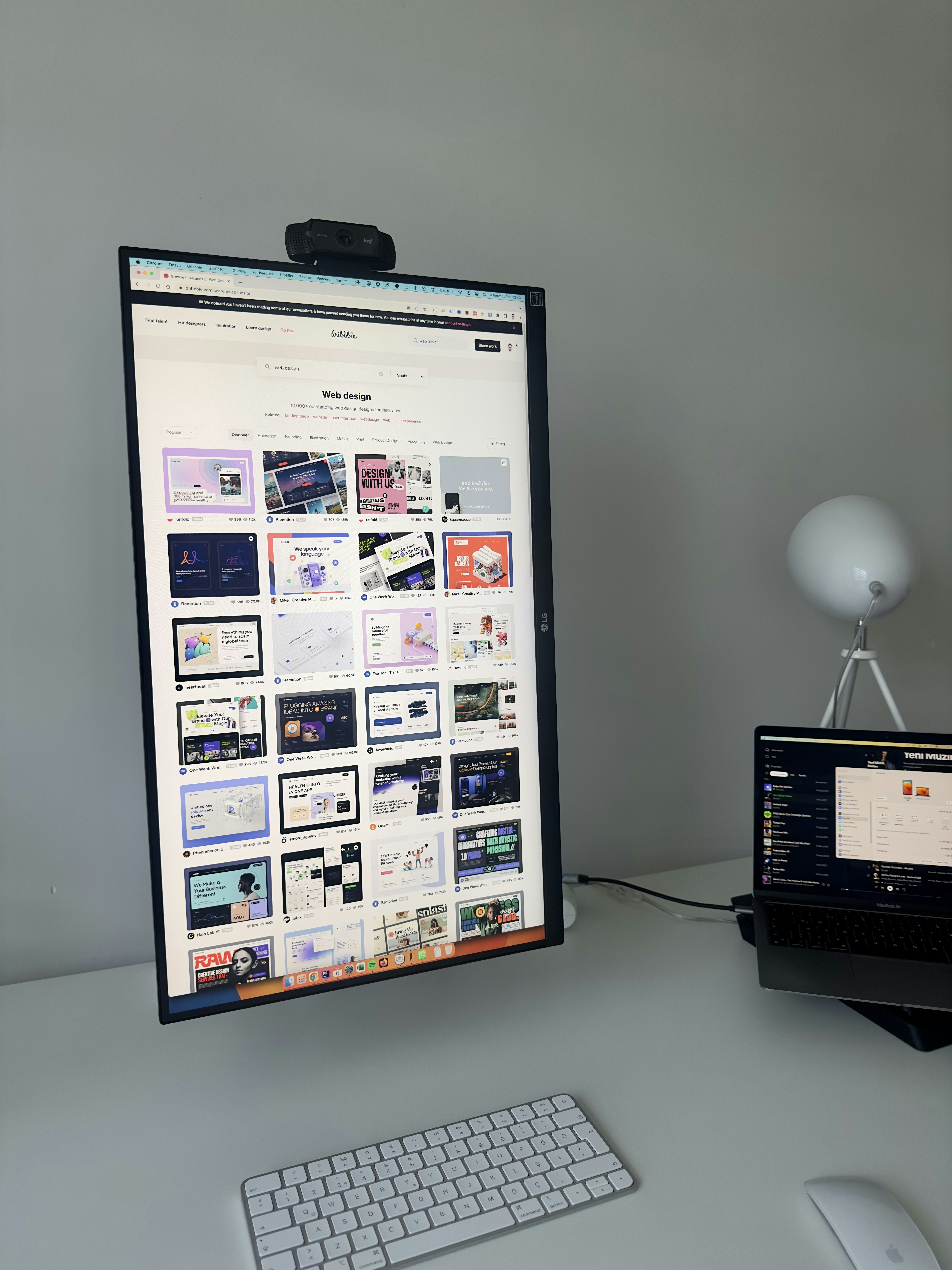
Choosing the Right WordPress Theme
Selecting an appropriate WordPress theme is pivotal in establishing an impactful online portfolio, as it serves as the virtual storefront for creative professionals. A well-chosen theme not only enhances the visual appeal but also facilitates user experience, thereby allowing artists, designers, and photographers to showcase their work effectively. When considering a theme, a few essential characteristics should be prioritized.
First and foremost, the design should be minimalist. A clutter-free aesthetic allows the portfolio items to take center stage, ensuring that visitors can focus on the work without distractions. This is especially crucial for visual artists, as their creations should be the primary draw. Furthermore, a responsive layout is essential in today’s mobile-centric world. A theme that adapts seamlessly to various devices and screen sizes ensures that the portfolio maintains its integrity and visual appeal across platforms, enhancing user engagement.
Customization options are another key element to consider. A good theme should allow creative professionals to adjust elements such as colors, fonts, and layouts to align with their unique style and branding. Themes that offer drag-and-drop functionality can make this process even more intuitive, catering to those who may not possess extensive coding skills.
For specific recommendations, themes like “Oshine” and “Kalium” cater particularly well to photographers and visual artists, providing elegant layouts tailored for showcasing images. Designers may find “Divi” or “Avada” beneficial due to their highly customizable features and extensive design capabilities. Installing these themes can be accomplished via the WordPress dashboard; simply navigate to “Appearance” > “Themes” > “Add New,” search for the desired theme, and follow the installation prompts. By carefully selecting a theme that meets these criteria, creative professionals can create a stunning portfolio that resonates with their target audience.
Designing the Homepage and Portfolio Display
Creating a visually appealing homepage is crucial for a WordPress portfolio website, as it often serves as the first impression to potential clients and visitors. One effective way to make a statement is by incorporating a fullscreen hero image or a slideshow that showcases the best work. This visual centerpiece not only attracts attention but also conveys the quality of the creative professional’s offerings. When selecting images for this section, it is imperative to choose high-resolution visuals that represent the portfolio’s tone and style, thereby ensuring the imagery resonates with viewers.
Upon establishing the homepage, it is equally important to construct a dedicated projects or gallery page, which serves to present the portfolio items in an organized manner. This page can feature grid or masonry layouts that allow users to easily browse through work samples. Including descriptions for each portfolio item is essential, as this provides context, details on the creative process, and highlights the results achieved. Categorizing portfolio items further enhances navigation, allowing visitors to filter projects based on their interests, such as branding, illustration, or photography.
To enhance the user experience, it is vital to optimize the website for performance. Using compressed image files ensures fast loading times without compromising quality. This practice not only benefits visitors but also aligns with SEO best practices. In terms of design aesthetics, adopting elegant typography and a minimalist color palette can greatly contribute to the overall professionalism of the portfolio website. A cohesive color scheme combined with well-chosen fonts enhances readability and keeps the visitor’s focus on the showcased work. By emphasizing these design aspects, you can create a stunning WordPress portfolio that effectively highlights creative accomplishments while offering a seamless browsing experience.
Crafting an Engaging About Me and Blog Section
In the realm of creative professionals, an engaging “About Me” page serves as a vital introduction and can significantly influence how visitors perceive one’s brand. This section should succinctly convey your professional background, core skills, and unique creative approach. To accomplish this, it is essential to employ storytelling techniques that resonate with your audience. Begin with an authentic narrative that reflects your journey in the creative industry. This personal touch invites readers into your world while establishing a connection that raw credentials might not achieve. Utilizing relatable anecdotes and experiences can enhance the relatability of your story, showcasing your personality beyond mere qualifications.
Moreover, integrating visuals such as a well-curated portfolio or images related to your creative work can enrich your narrative and provide context. It is also wise to include any significant accomplishments or projects you have undertaken, as they highlight your expertise and dedication to your craft. A well-structured “About Me” page not only humanizes your brand but also affirms your credibility as a creative professional.
In addition to the “About Me” section, creating a blog section on your website is equally important. This platform allows you to share valuable insights, tutorials, and industry updates that can engage your audience and establish your authority in your field. Regularly posting well-craft articles can draw readers in and encourage them to spend more time on your site. Focus on topics that reflect your interests and expertise while providing practical value. Engaging posts should utilize a conversational tone and cater to the needs and interests of your target audience. By fostering an interactive environment through comments and discussions, you can further cultivate a loyal readership, ensuring that your website remains a go-to resource for creative professionals seeking knowledge in your area of expertise.
Setting Up Essential Features for Functionality and Networking
Creating a portfolio website entails implementing essential features that enhance both functionality and networking opportunities. One of the primary aspects to focus on is the integration of contact forms. These forms serve as a crucial tool for potential clients or collaborators to inquire about your services easily. Utilizing plugins such as WPForms or Contact Form 7 can streamline this process, allowing users to submit their requests or messages smoothly. Ensuring that your contact form is accessible from multiple areas of the site can significantly improve engagement.
Moreover, incorporating social media buttons is vital for fostering connections with your audience. By linking to your professional social media profiles, you promote further interaction and enhance visibility. This facilitates the sharing of your work and promotes your brand across various platforms. Plugins like Social Media Share Buttons & Social Sharing Icons can be instrumental in making these integrations seamless and effective.
In addition to contact forms and social media features, it’s imperative to consider necessary plugins that amplify your site’s functionality. Implementing SEO optimization plugins such as Yoast SEO can ensure your portfolio ranks well in search engine results. Image optimization tools, like Smush, play a pivotal role in improving site speed and performance, crucial for retaining visitor attention. Security plugins, such as Wordfence Security, protect your site from potential threats, maintaining your professional presence.
Furthermore, showcasing client testimonials and logos can significantly contribute to building trust and credibility. Designate a dedicated section for testimonials where satisfied clients can share their experiences, enhancing your portfolio’s persuasive power. Lastly, a clean navigation structure is essential for providing users with a satisfying browsing experience. Incorporating call-to-action buttons throughout your site not only guides users to your most important content but also encourages them to take necessary actions, such as reaching out or viewing your work.